Explain any step
Draw a box round a theorem or a line of working and it is unpacked in full: the method is named, then every step is worked, one at a time.
Box any line of your notes to have it explained step by step, get practice questions in the same style, or have your working marked. It works on handwritten and typed notes.
3 free answers a weekHandwritten or typed notesEvery step worked through
Explain, Ask and Check my answer come with 3 free answers a week. Pro makes every tool unlimited.
Draw a box round a theorem or a line of working and it is unpacked in full: the method is named, then every step is worked, one at a time.
Clip an example and get a fresh set of questions matched to its topic, style and difficulty, with worked answers to mark yourself against.
Clip a question, upload your working, and get it marked: where you were right, where you slipped, and your marks. It solves it first, so it grades against the real answer.
Clip an equation and get a plot you can explore: pan and zoom in 2D, orbit a surface in 3D. The maths is computed exactly, never guessed.
Write your question on the pad with your Apple Pencil, or type it. The answer is about the part of the page you boxed.
Add up to 5 whole notes, yours or ones shared with you, and the AI reads all of them with every question.
Open the AI assistant next to any note in split screen. Ask it to quiz you, make a problem sheet or go through a proof one step at a time.
Say which cards you want, like every definition in chapter 2, and they are made from your note. Rate each one Again, Hard, Good or Easy, and it comes back just before you would forget it. The cards due each day wait on your dashboard.
Take a quiz on a note, get a summary to revise from, or have your answers to its problem sheet marked. Use the whole note, or say which part.
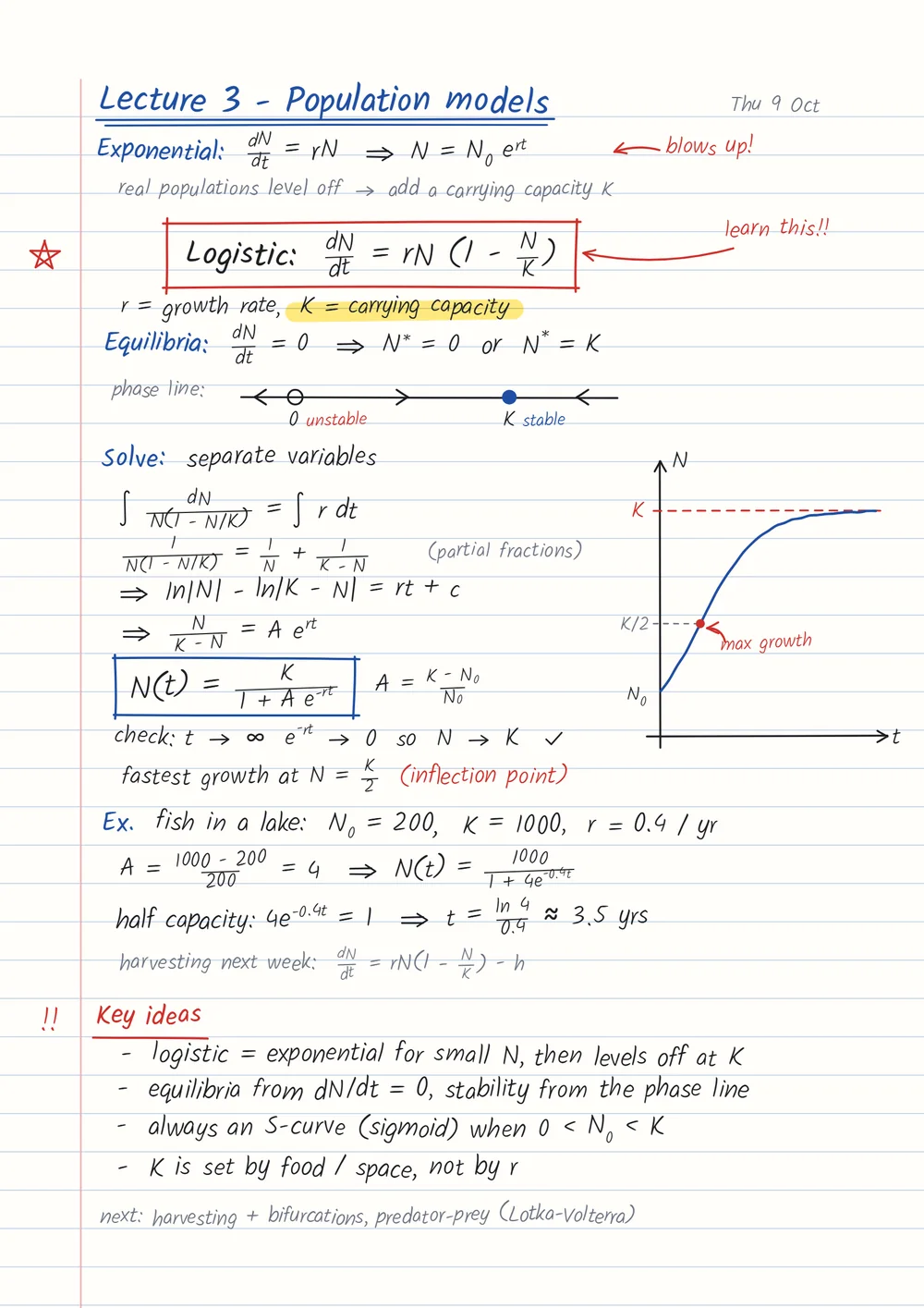
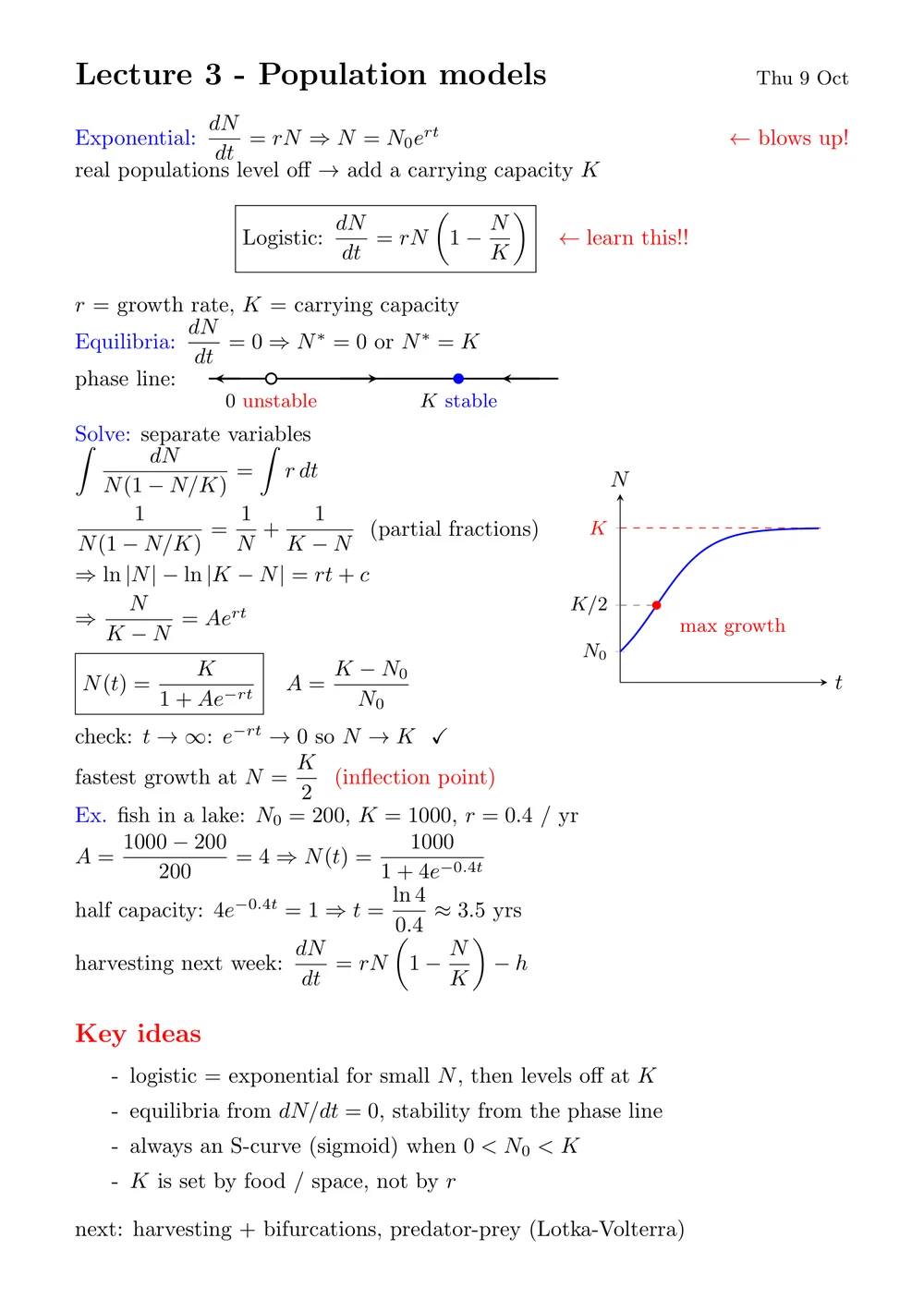
The tools read the part of the page you box, handwritten or typed, so there is nothing to retype first.
Check my answer solves the question first, then goes through your working: where you were right, where you slipped, and your marks.
Get an answer straight away, or let it think first on a harder problem.
Keep asking in the same window until it clicks, and come back to saved chats later.
Clip an equation and turn it in 3D or zoom in 2D. The maths is computed exactly, never guessed.
Just the part you box, and any notes you add as context, are sent to the AI, and only to answer you.
Yes, to start. Every account gets 3 free answers a week from Explain, Ask and Check my answer. Pro (£3.99 a month) makes them unlimited and adds practice questions, plots, the AI assistant, and flashcards, quizzes and summaries made from your notes.
Yes. The tools read the part of the page you box, so handwritten notes, typed PDFs and LaTeX all work.
It shows its working. Explain names the method and works every step, practice questions come with worked answers, and Check my answer shows where your working went right and where it went wrong.
Open Tools > Study this note and say which cards you want, such as every definition in chapter 2. Each card asks a question from your note, and you rate how well you knew the answer: Again, Hard, Good or Easy. Cards you know come back less and less often, the ones you missed come back within minutes, and the cards due each day wait on your dashboard. Flashcards are part of Pro.
Any note with text in it: your transcribed LaTeX notes and the PDFs you upload. Scanned PDFs are read for you in the background. Convert a handwritten notebook first, and its typed copy works like any other note.
Yes. The Context button adds up to 5 whole notes, and the AI reads all of them with every question.
Only the part you box, and any notes you add as context, are sent to the AI service, and only to answer you. Your notes stay in your account, and you can delete any of them. See the Privacy page for details.
Anything with maths in it: calculus, linear algebra, differential equations, statistics, mechanics and more.
3 free answers a week on every account.