LaTeX for Chinese maths notes
Most maths OCR tools are built for formulas. Give them a page of Chinese lecture notes and the equations come back while the Chinese around them disappears, turns into question marks, or stops the LaTeX from compiling. LatexNotes reads the whole page, the Chinese definitions, headings and working as well as the maths in between, and gives you one LaTeX document that compiles.
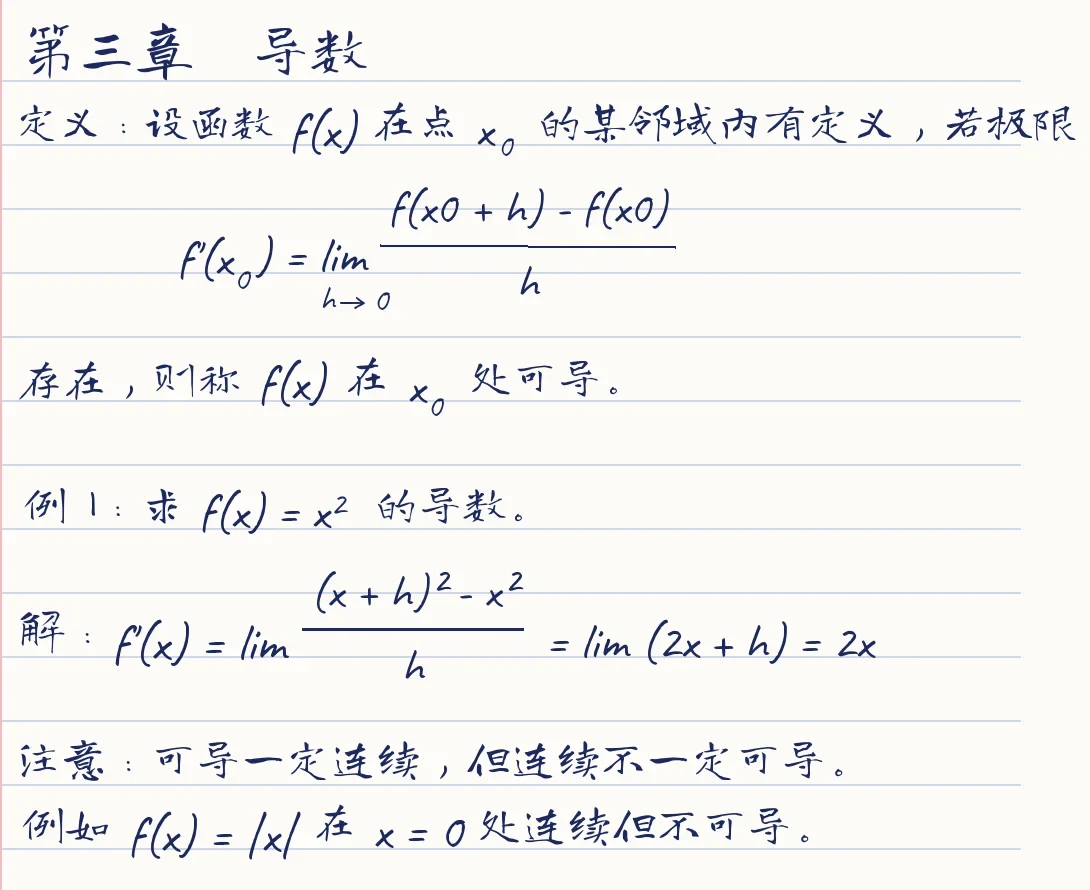
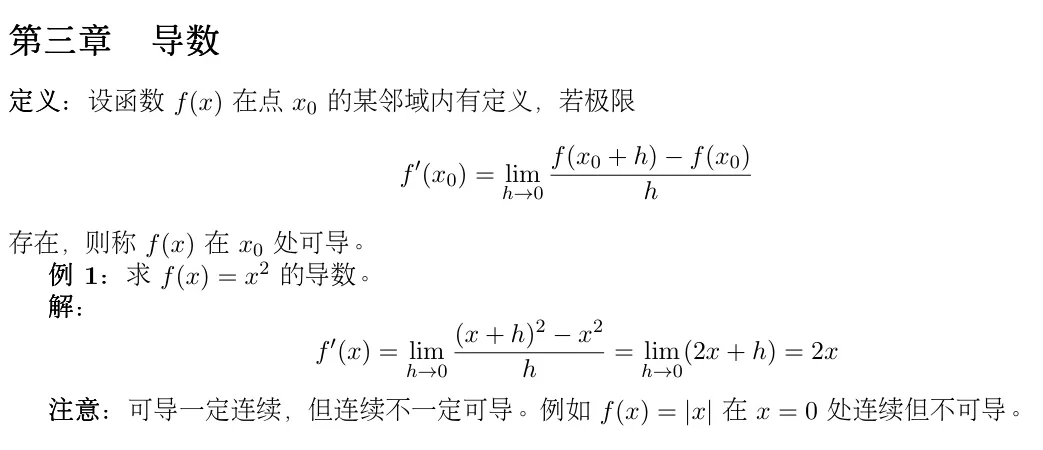
\section*{第三章\quad 导数}
\textbf{定义:}设函数 $f(x)$ 在点 $x_0$ 的某邻域内
有定义,若极限
\[
  f'(x_0) = \lim_{h \to 0}
    \frac{f(x_0 + h) - f(x_0)}{h}
\]
存在,则称 $f(x)$ 在 $x_0$ 处可导。
... Every Chinese character kept
What LatexNotes does with Chinese
- Keeps your Chinese exactly as written: no translation, no pinyin, nothing dropped.
- Simplified and Traditional characters, even mixed on one page. The right font is picked for each character automatically.
- Chinese in headings, in bold, and inside equations.
- Compiles with standard pdfLaTeX: download the .tex or open it in Overleaf and it builds as it is.
- Hand-drawn graphs and diagrams are redrawn as editable TikZ, as on any other note.
- The whole site is available in Chinese, and the AI tutor answers in Chinese once you choose Chinese in Settings.
Why Chinese in LaTeX is hard
LaTeX was built for Latin text. Chinese needs a CJK package and a font that actually contains the characters, and the usual setups disagree: ctex wants XeLaTeX, CJKutf8 works with pdfLaTeX, and a font that lacks a character simply leaves a gap. Get it slightly wrong and the document still compiles, with the Chinese silently missing. LatexNotes adds the right setup for you.
Writing Chinese in LaTeX yourself
If you write LaTeX by hand, both of these minimal documents work. The first is the most common choice; in Overleaf, set the compiler to XeLaTeX for it.
\documentclass{ctexart}
\begin{document}
设函数 $f(x) = x^2$,则 $f'(x) = 2x$。
\end{document}\documentclass{article}
\usepackage{CJKutf8}
\begin{document}
\begin{CJK}{UTF8}{gbsn}
设函数 $f(x) = x^2$,则 $f'(x) = 2x$。
\end{CJK}
\end{document}How to convert Chinese handwritten notes to LaTeX
- Upload a photo or a PDF of your notes: a GoodNotes or Notability export, a scan, or a phone photo.
- Each page is transcribed into LaTeX, keeping the Chinese and the maths.
- Check it, edit it in the browser, recompile to a PDF, or open it in Overleaf.
Frequently asked questions
Does it work with Traditional Chinese?
Yes. Simplified and Traditional both work, including a page that mixes the two.
Will it translate my notes into English?
No. Your notes stay in the language you wrote them in. Only the maths is turned into LaTeX.
Can I open the LaTeX in Overleaf?
Yes. The document includes the CJKutf8 setup it needs, so it compiles in Overleaf with the default pdfLaTeX compiler.
Can I write Chinese inside an equation?
Yes. Chinese inside maths is written as \text{...}, which keeps it upright and in the right font.
Is it free?
Yes. You can try 5 pages with no account, and a free account gets 150 pages a month.
Also see handwriting to LaTeX, photo to LaTeX and the LaTeX reference.