A maths notebook for your iPad,
with LaTeX built in.
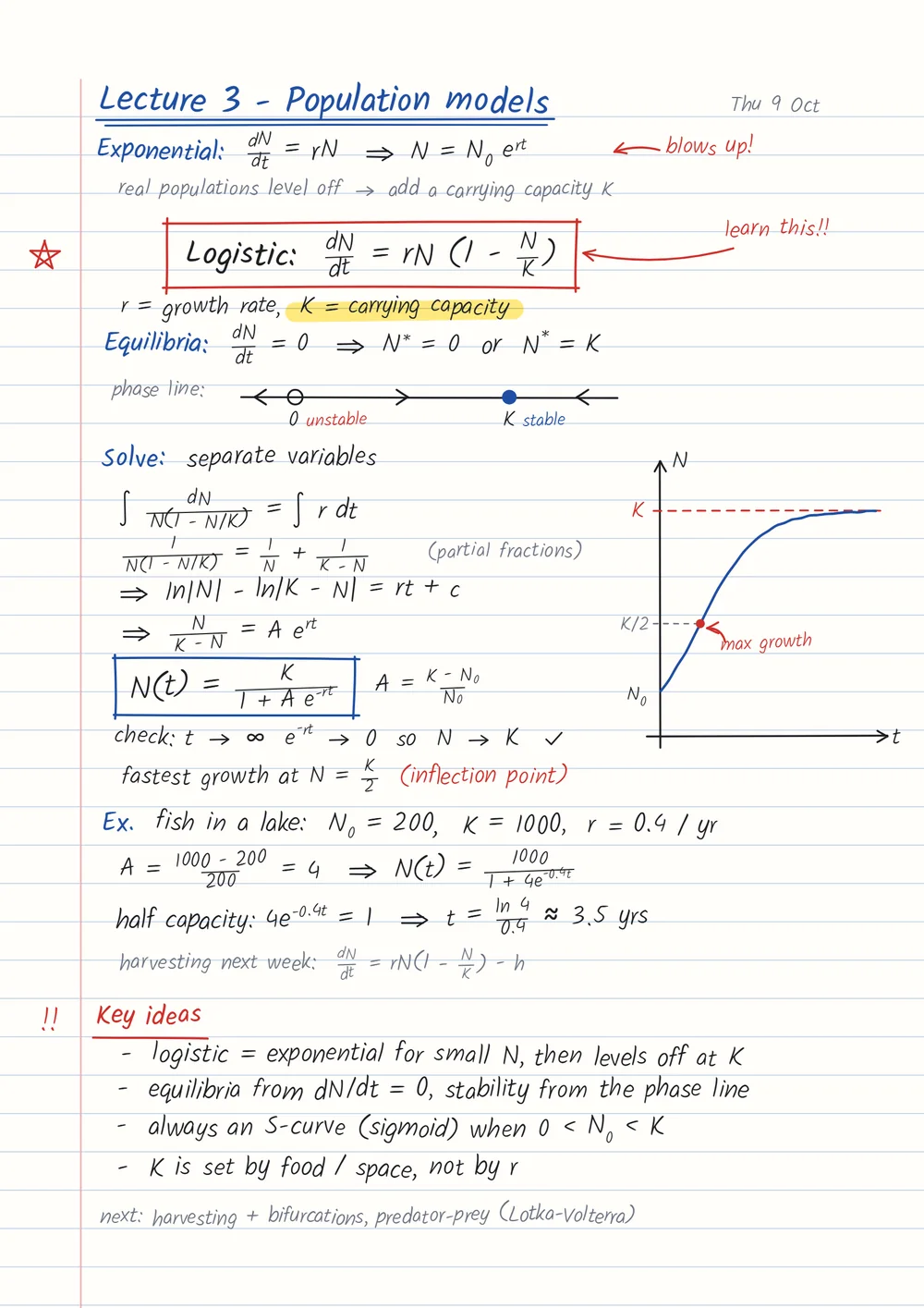
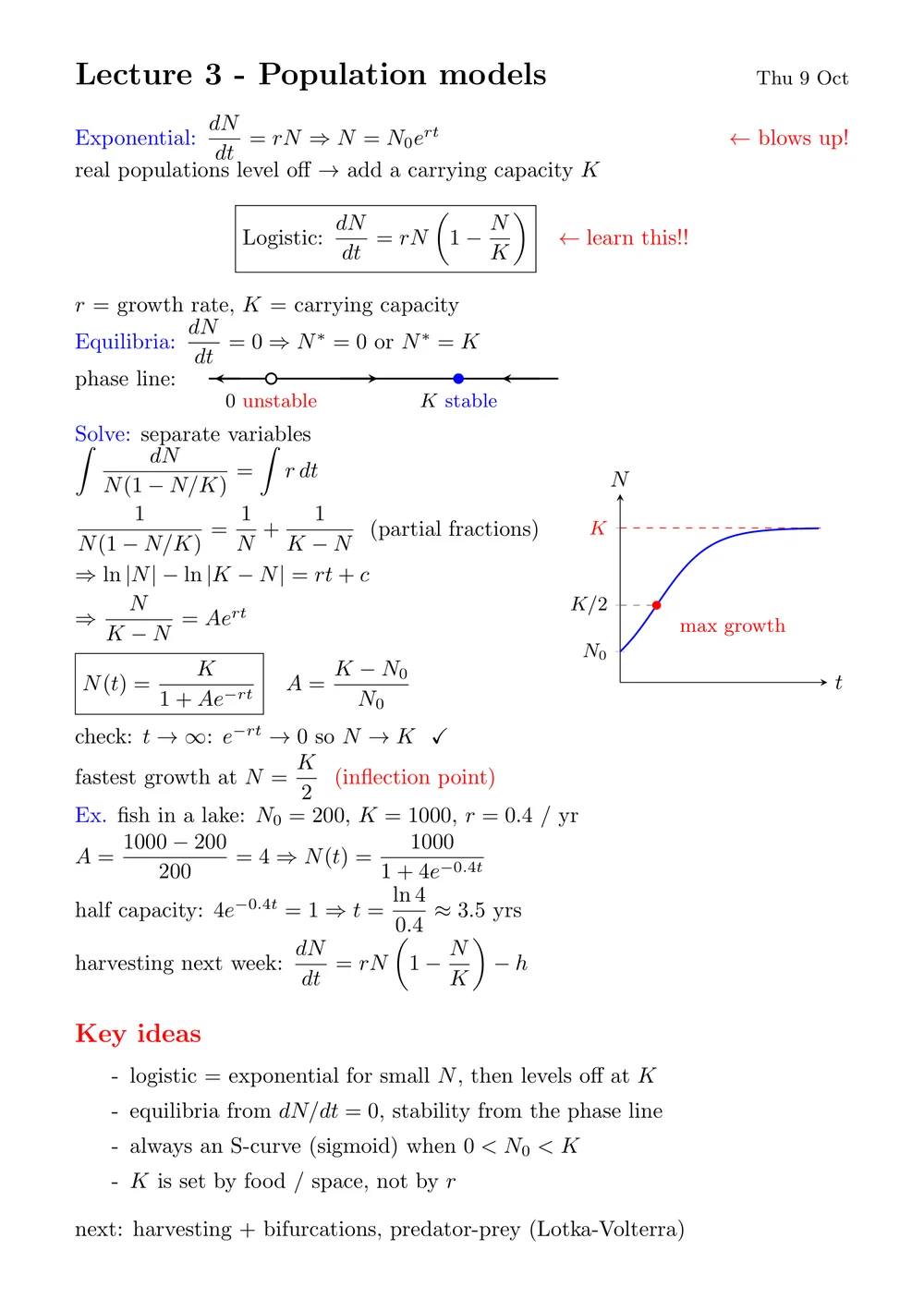
Write with your Apple Pencil on plain, dotted, squared or Cornell paper, right in your browser. When a page is done, box your handwriting and it turns into typeset LaTeX where you wrote it.
Notebooks free on every accountNothing to installApple Pencil pressure and palm rejection
Pick your paper
Plain, dotted, squared or Cornell, on white, yellow or black. Write page by page, or on one endless canvas.
- Plain
- Dotted
- Squared
- Cornell
Draw on your notes like paper
Write on any page, box handwriting to typeset it, and work on a note together, live.
Tools that remember how you write
Each keeps its own colour and size. Your three most used colours stay one tap away, and a line held still at the end snaps straight.
Room for the whole topic
An endless canvas runs in every direction. Lay out a week of lectures, a mind map or a long derivation on one board, then zoom out to see it all.
From handwriting to a typeset PDF
Convert a whole notebook, or just the part you box. You get LaTeX you can edit and a compiled PDF, graphs and all.
Made for maths on an iPad
Apple Pencil, properly
Ink follows your pressure, your palm can rest on the screen, and a line, box or circle held still at the end snaps neat.
Draw on any note
Lecture PDFs and transcribed notes take ink too, not just notebooks. Free on every account.
Split screen
Open two notes side by side, or your notebook beside the AI assistant (Pro).
Find it again
Search every note by the words in it: typed notes, the PDFs you upload (scans too) and the handwriting you have converted.
Download as PDF
Save any notebook as a PDF with your ink on it, to print, share or hand in.
Live sessions · Pro
Invite a friend into a note and see each other's pen and ink as it is drawn.
Is it free?
Yes. Notebooks are free on every account, with every paper and the pen, highlighter and eraser. Pro (£3.99 a month) adds converting your handwriting to LaTeX, live sessions with friends, unlimited study tools and flashcards made from your notes.
Do I need to install an app?
No. LatexNotes runs in Safari on your iPad, so there is nothing to download. Add it to your Home Screen and it opens like an app.
Does it work with Apple Pencil?
Yes. Ink follows the pressure of your Apple Pencil, your palm can rest on the screen while you write, and your fingers scroll and zoom the page.
Can I bring in my GoodNotes or Notability notes?
Yes. Export them as a PDF and upload it: you can write on every page like paper, and transcribe it to LaTeX.
Can it turn my handwriting into LaTeX?
Yes, on Pro. Box any part of a page and it is typeset where you wrote it, or convert a whole notebook. The LaTeX is yours to edit, compile to a PDF or open in Overleaf.
Does it work on other devices?
Yes. Your notebooks are saved to your account, so they open on a Mac, a Windows laptop or a Chromebook too, where a mouse or a touch screen draws.
Your next lecture, on better paper.
Notebooks are free on every account. It takes seconds.